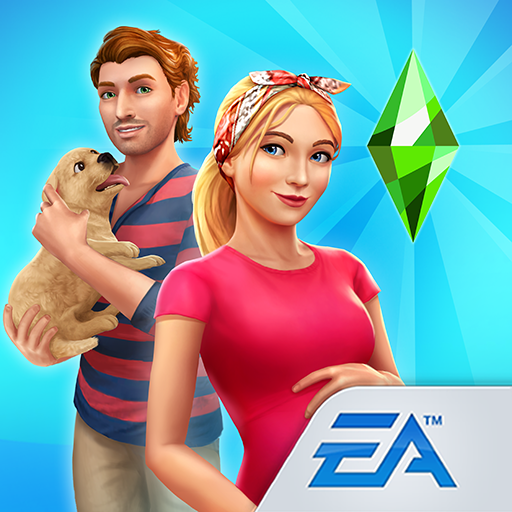
Download The Sims: FreePlay APK 115.0.270767 for Android
ELECTRONIC ARTS APK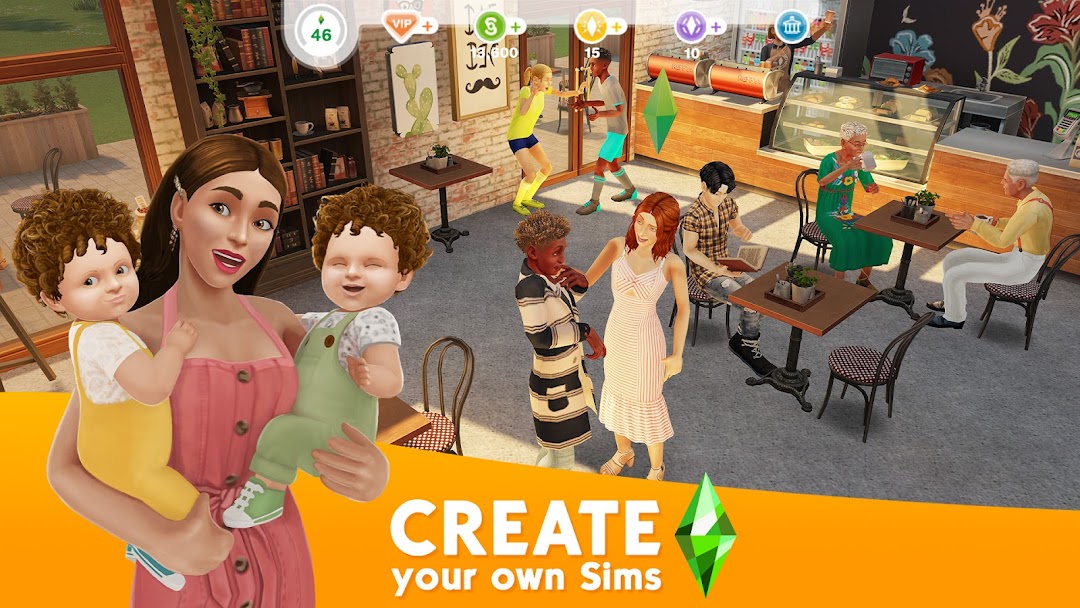

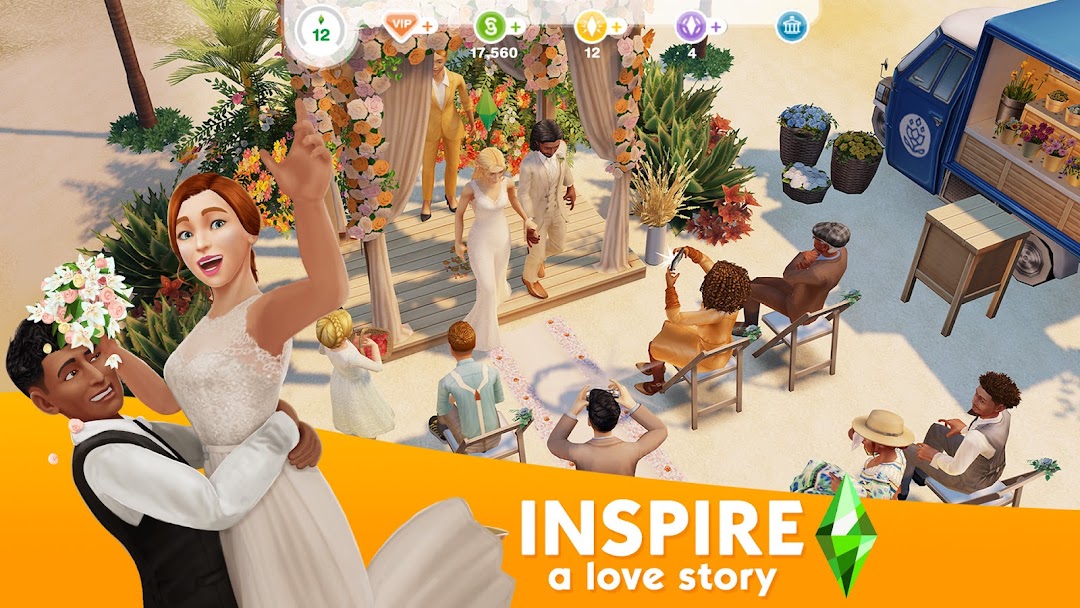
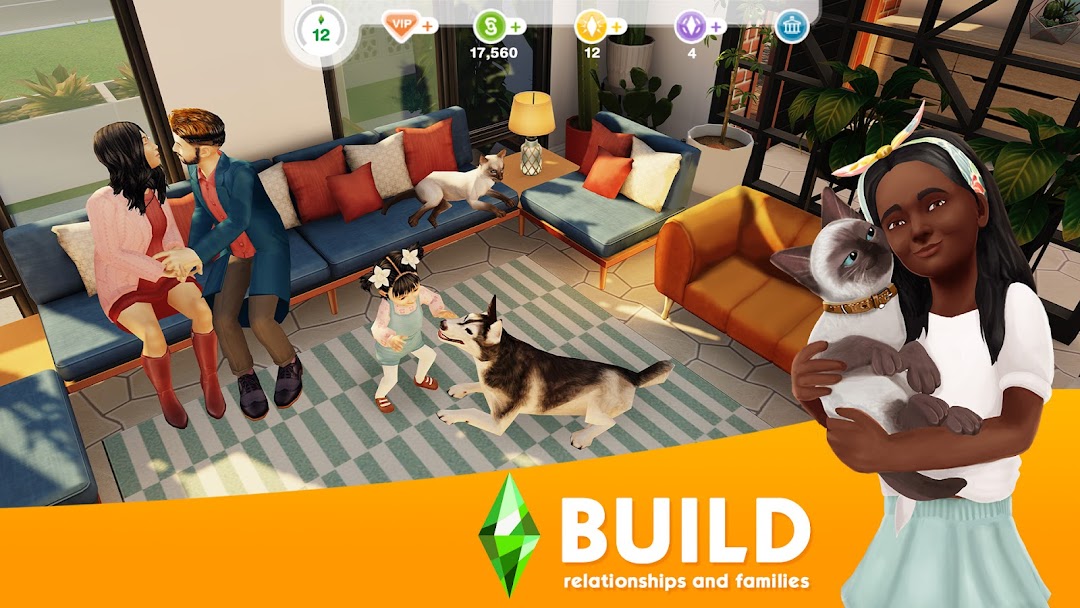
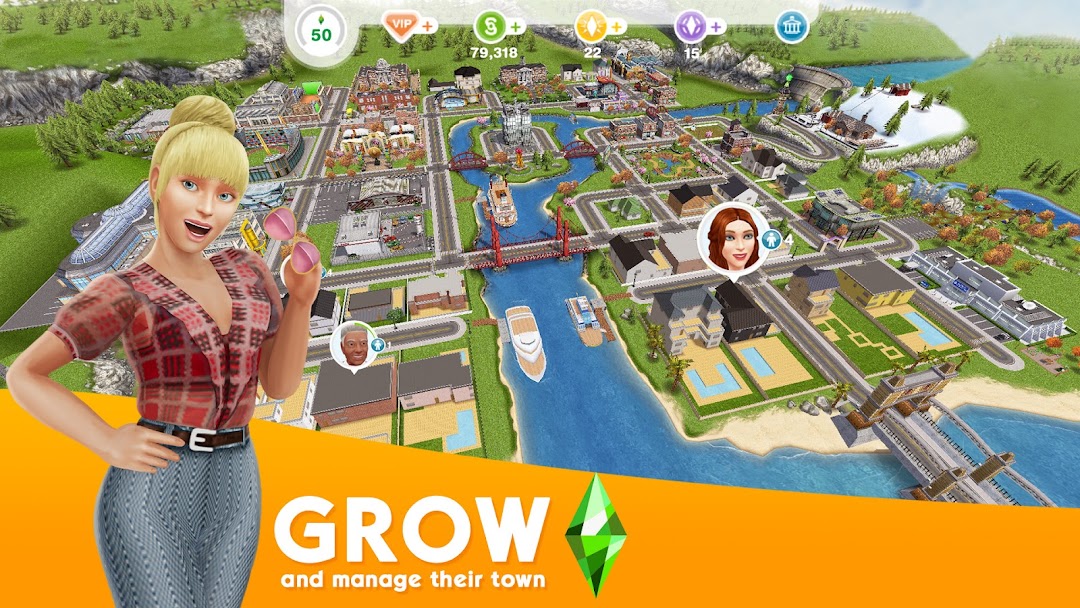
| Name | The Sims™ FreePlay |
|---|---|
| Publisher | ELECTRONIC ARTS |
| Version | 115.0.270767 |
| Size | 36MB |
| Requires | Android 4.1 |
| Get it on | Google Play ↗ |
| Category | Simulation |
| Downloads | 1,095 |
| Price | FREE |
| Rating |
★
★
★
★
★
0/5
(1)
|
| Author | |
| Updated |
The Sims FreePlay hands you an entire town to run, then makes you wait real hours for a cake to bake or a baby to grow up, and that slow grind is exactly why “unlimited Simoleons” generators and modded APKs crowd almost every search for the game.
The Sims FreePlay is a free-to-play life simulation game built by Firemonkeys Studios and published by Electronic Arts, where you design a town and control up to 34 Sims across every life stage from baby to senior. The defining twist is that it runs in real time, so a work shift, a baking task, or a pregnancy plays out over actual minutes, hours, or days instead of fast-forwarded game turns. That one design choice shapes everything players argue about, from how to earn currency faster to whether a modded build is worth the risk. Version numbers and download buttons change every few weeks, yet the underlying questions stay remarkably stable, and this guide answers them with current facts rather than recycled hype.
- What The Sims: FreePlay Is and Who Makes It
- How The Sims: FreePlay Plays Day to Day
- Simoleons, Life Points, and Social Points Explained
- How to Download and Install The Sims: FreePlay Safely
- The “Unlimited Money” Modded APK: What It Can and Can’t Do
- Why “Free Simoleons Generators” Don’t Work
- How to Earn Simoleons and Life Points Faster
- Is The Sims: FreePlay Safe and Legal?
- The Sims: FreePlay vs The Sims Mobile and The Sims 4
- System Requirements and Performance
- Frequently Asked Questions
- The Bottom Line on The Sims: FreePlay
What The Sims: FreePlay Is and Who Makes It
The Sims FreePlay is the free mobile entry in EA’s long-running Sims franchise, developed by the Australian studio Firemonkeys. It first launched on iOS in December 2011 and reached Android in early 2012, and it has stayed in active development ever since, with content updates landing roughly every six weeks.
The “FreePlay” name is literal. The base game costs nothing to download and play, and EA earns money through in-app purchases of premium currency and through optional ad views. As of early 2026, app-tracking data put lifetime downloads above 240 million, and the Google Play listing sat near 4.6 stars from about 4.7 million reviews. Those numbers matter for one practical reason: a game this large and this old has a huge surrounding ecosystem of fan wikis, cheat pages, and download mirrors, and not all of them are safe.
One recent shift is worth knowing before you commit time to it. EA shut down the servers for its sister title, The Sims Mobile, on January 20, 2026. That makes The Sims FreePlay the main live-service Sims game on phones right now, which is part of why interest in it has climbed again rather than faded.
How The Sims: FreePlay Plays Day to Day
You build and manage a small town, fill it with Sims you create, and guide their lives through careers, relationships, hobbies, and home design. Up to 34 Sims can live in a single town, and you control nearly all of them directly, which is far more than the household-sized casts in the desktop Sims games.
Sims age through six life stages: baby, toddler, preteen, teenager, adult, and senior. Each stage unlocks different actions, so a toddler learns to walk and talk while an adult chases a career or starts a family. Careers split into two types. Standard careers such as artist, athlete, firefighter, musician, and politician run on real-time job shifts you schedule. Profession careers such as medical staff, police, and filmmaker work more like active mini-jobs where you complete tasks for bigger payouts.
Hobbies sit alongside careers and give the game much of its long-term depth. There are dozens of them, including cooking, fashion design, woodworking, and ballet, and each Sim can hold one hobby at a time. Completing a hobby collection rewards you with special items and Life Points, and a dedicated Competition Center lets hobby Sims compete for daily prizes. Building and decorating ties it all together, since you expand from a starter neighborhood into SimTown, the Mysterious Island, and Downtown, adding a pet store, a car dealership, a shopping mall, and more as your town grows.
Simoleons, Life Points, and Social Points Explained
The Sims FreePlay runs on three separate currencies, and understanding what each one does is the key to playing it without spending money. Simoleons are the everyday cash you earn from jobs, hobbies, and selling items, and you use them to buy furniture, clothing, and most buildings. Life Points (LP) are the premium currency, far harder to earn, and they speed up timers, unlock special content, and finish tasks instantly. Social Points (SP) come from interacting with other players’ towns and are spent on a smaller pool of social-themed items.
The pinch point is Life Points. Simoleons accumulate steadily through normal play, but LP trickles in slowly because EA wants you to either grind patiently or buy it. Legitimately, you earn LP by completing weekly tasks, finishing quests and hobby collections, watching the occasional reward ad when the mailbox Sim appears, and leveling up. Every “unlimited LP” promise you see online is selling a way around that intentional scarcity, which is precisely where the risk starts.
How to Download and Install The Sims: FreePlay Safely
The safest source is always the official one. On Android that means the Google Play Store, and on iOS it means the App Store, because both scan apps and deliver the genuine EA build with working online features and updates. The current release as of mid-2026 is version 115.0.270767, the install is roughly 178 MB, and the game requires Android 7.0 or higher.
If you want a specific older build or an APK file for a device without Play access, sideloading is the standard route. The steps are the same for any Android app:
- Download the APK file from a source you trust, and check that the version and file size look reasonable rather than tiny.
- Open your phone’s Settings, find the “Install unknown apps” permission, and grant it only to the browser or file manager you used for the download.
- Tap the downloaded file and confirm the install.
- Switch that “Install unknown apps” permission back off once you are done, so no other app can quietly install software later.
For the current build and a plain-language note on what each update changes, the modlmh homepage is a straightforward place to start before you sideload anything.
One caution applies to every sideload. A genuine EA APK and a tampered one can look identical on a download page, so the source matters more than the file name. Stick to well-known mirrors, avoid any page that asks you to complete a survey or “verify” before downloading, and treat a free file from an unknown site as untrusted until proven otherwise.
The “Unlimited Money” Modded APK: What It Can and Can’t Do
A modded APK for The Sims FreePlay is a repackaged copy of the game that has been altered to advertise perks like unlimited Simoleons, unlimited LP, or unlocked VIP content. The honest reality is narrower than the download titles suggest, and the gap is technical rather than a matter of finding the “right” version.
Your Simoleon, LP, and SP balances are tied to your EA account and validated on EA’s servers when you are online. A modded build running on your phone cannot simply rewrite a number that lives on a server it does not control. What mods can plausibly change are local, client-side things, and even those tend to break after EA’s next update or trigger checks that wipe the effect. So the “unlimited money” framing oversells what is actually possible while quietly downplaying what you give up by installing an unofficial build.
What you give up is real. A modded APK is signed by whoever modified it, not by EA, which means you are trusting a stranger’s code with whatever permissions the app holds. You also lose the guarantee that the file does only what it claims, since the same package that promises free currency is the easiest place to hide adware, spyware, or a credential stealer. If the perk works at all, it usually works briefly, and the cost of finding that out can be your account or your device’s security.
Why “Free Simoleons Generators” Don’t Work
Online “Simoleons generators” and web-based “Sims FreePlay hacks” do not work, and the way they fail is consistent enough to spot instantly. These sites ask for your username, tell you to pick how much currency you want, then block the “delivery” behind a human-verification step, an app install, or a survey. That final step is the entire point, because there was never a generator, only a funnel.
The technical reason is the same one that limits modded APKs. No website can write currency into a server-side account it has not authenticated into, and EA does not expose a public endpoint that hands strangers free LP. What the survey and “verification” gates actually do is earn the scam operator money per completed offer, harvest your details, or push you toward installing something unwanted. The tell is simple: any tool that needs your in-game username but never your password, and then demands a survey before it “finishes,” is monetizing your time, not adding Simoleons.
How to Earn Simoleons and Life Points Faster
You can speed up your progress meaningfully without any mod, and the legitimate methods are more reliable than the broken shortcuts. The most consistent approach is to run your town like a small economy rather than checking in randomly.
- Match Sims to short, repeatable tasks. Send Sims on quick bakes, gardening, or hobby actions whenever you are about to put the game down, so their timers run while you are away.
- Build one Sim per hobby. Sending hobby Sims to the Competition Center daily produces a steady drip of rewards and helps complete collections that pay out LP.
- Finish quests and weekly tasks deliberately. These are among the few dependable LP sources, so clearing them is worth more than grinding random actions.
- Take the mailbox ad rewards. When the game offers a reward ad, those small LP and Simoleon payouts add up over weeks at no cost.
- Sell strategically. Furnishing, then reselling certain store items, is a long-standing way players convert build actions into Simoleons.
You will also see a widely shared “time cheat” that involves closing the game and moving your device clock forward or backward to skip timers. It can shortcut some waits, but it carries real downsides worth weighing. Shifting your clock can desync other apps, occasionally corrupts in-progress tasks, and EA has tightened how the game handles clock changes over the years, so results are inconsistent and sometimes counterproductive. Treat it as an unofficial trick with side effects, not a clean solution.
Is The Sims: FreePlay Safe and Legal?
The official game from Google Play or the App Store is safe and legal to use, and playing it normally puts nothing at risk. The questions around safety and legality only arise once you step outside official channels for currency or unlocks, and those risks deserve plain answers rather than a throwaway disclaimer.
Using a modded APK or a third-party “hack” violates EA’s terms of service. EA can flag or ban accounts that show clear signs of tampering or illegitimate currency, and because your account is your saved progress, a ban can erase years of building in a single action. If your town matters to you, the single most important rule is to never sign your main EA account into a modded build. The malware angle is just as concrete. Unofficial APKs are a common delivery method for Android malware, and a file promising free LP is a textbook lure for token stealers and hidden adware.
There is also a fairness and respect dimension that is easy to overlook. The Sims FreePlay is a free game funded by optional purchases, so the in-app spending is what keeps Firemonkeys updating it every few weeks. Choosing the legitimate route is not only safer for you, it is what keeps the game alive for everyone playing it.
The Sims: FreePlay vs The Sims Mobile and The Sims 4
The Sims FreePlay is a town-management life sim built around real-time progression, which sets it apart from both The Sims Mobile and the desktop game The Sims 4. The clearest contrast used to be with The Sims Mobile, a more story-driven phone game, but EA closed its servers in January 2026, so it is no longer a live option and FreePlay now stands as the active mobile choice.
Compared with The Sims 4 on PC and console, FreePlay is lighter, slower-paced, and shaped around mobile session lengths. The Sims 4 gives you deeper build tools, far more granular control over individual Sims, and no real-time waiting, but it is a paid platform with expansion packs rather than a free pick-up-and-play app. FreePlay’s appeal is the opposite: a large cast, a sprawling town to fill over weeks, and zero upfront cost. If you want quick daily check-ins on a phone, FreePlay fits. If you want a single deep household with detailed simulation, the desktop Sims games are the better home for that.
System Requirements and Performance
The Sims FreePlay needs Android 7.0 or newer on Android devices, and the current download runs around 178 MB before the extra data it pulls after install. On iOS it supports recent iPhone and iPad hardware, and it was the first Sims game to run fullscreen on iPad.
Performance is generally smooth on mid-range and newer phones, since the game’s 3D world is modest by 2026 standards. The heavier strain is storage and patience rather than raw graphics, because frequent updates and growing towns expand the install over time, and the real-time design means the game expects regular short visits rather than long marathon sessions. An internet connection is required for syncing, events, and account features, so it is not a fully offline experience even though core building happens on your device.
Frequently Asked Questions
Is The Sims FreePlay free to play? Yes. The base game is free to download and play, and EA earns revenue through optional in-app purchases of Life Points and Simoleons, plus occasional reward ads. You can progress without spending, though premium currency speeds things up.
Can you actually get unlimited Simoleons or Life Points for free? No, not through generators or web hacks. Your currency is validated on EA’s servers, so no website or modded APK can legitimately credit it to your account. The reliable path is in-game tasks, quests, hobbies, and reward ads.
Will a modded APK get my account banned? It can. Modded builds breach EA’s terms of service, and accounts showing tampering or illegitimate currency risk being flagged or banned, which means losing your saved town. Keeping your main EA account off any modded build is the safest choice.
Is The Sims FreePlay still being updated in 2026? Yes. Firemonkeys continues to ship updates roughly every six weeks, with the build sitting at version 115.0.270767 as of mid-2026. With The Sims Mobile servers closed in January 2026, FreePlay is currently the actively supported Sims game on phones.
How many Sims can you have? Up to 34 Sims in a single town. You unlock additional Sim slots as you progress and reach higher VIP levels, and you control nearly all of them directly.
Does The Sims FreePlay work offline? Partly. Building and core play happen on your device, but the game needs an internet connection for syncing, live events, social features, and account access, so it is not a fully offline title.
The Bottom Line on The Sims: FreePlay
The Sims FreePlay remains a deep, genuinely free life sim, and in 2026 it is the main live Sims game on mobile after The Sims Mobile shut down. The real-time grind is the trade-off for that scope, and it is also the bait that fuels every “unlimited money” mod and generator surrounding the game. Those shortcuts do not deliver what they promise, and the worst of them put your account or your device at risk. The practical move is to install version 115.0.270767 from an official store or a trusted source, earn Life Points through quests, hobbies, and reward ads, and keep your main EA account away from any modded build. Played that way, the town you spend weeks building stays yours.
VÔ HẠN TIỀN
VÔ HẠN TIỀN. ĐÃ MỞ KHÓA VIP
Install the official, unmodified build straight from Google Play.
Android emulator to run THE SIMS™ FREEPLAY APK smoothly on PC.
Choose the source that fits your device
The Sims™ FreePlay
Original build on Google Play · Android
GET ↗
Play on PC with LDPlayer
Android emulator · supports The Sims™ FreePlay · Windows
GET ↗